
I’ve built eleven desks over the past eight years. Not because I’m some woodworking hobbyist who enjoys spending weekends in a garage. Because I kept choosing the wrong tabletop material and paying for it with warped surfaces, scratched finishes, and one spectacular failure where a particle board desktop literally sagged in the middle under the weight of two monitors and a printer after fourteen months.
That sagging desk was the turning point. I was working from home full-time, staring at a desktop that had developed a visible curve like a shallow bowl. My coffee mug would slowly slide toward the center if I set it near the edge. My monitors tilted slightly inward. The whole setup looked and felt wrong. And I realized I’d spent $180 on a desk that couldn’t handle basic office equipment for more than a year.
Since then, I’ve become obsessive about tabletop materials. Researched every option. Tested most of them personally. Talked to furniture manufacturers, woodworkers, and industrial designers about what actually works for computer desks versus what just looks good in a product photo. And the differences between materials are massive. Not just in price, but in how they perform over years of daily use with heavy equipment sitting on them.
Here’s the thing most desk buyers don’t realize. Your tabletop material determines everything about your desk experience. How long it lasts. Whether it scratches the first week. Whether it handles monitor arms clamped to the edge. Whether it warps in humidity. Whether your wrists feel comfortable resting on it during twelve-hour work sessions. Whether it still looks good in three years or looks like it survived a war.
So here’s my complete breakdown of thirteen tabletop materials with honest pros and cons based on real experience. Not manufacturer marketing. Not furniture store sales pitches. Just what actually matters when you’re choosing a surface you’ll stare at and touch for eight to twelve hours every single day.
1. What Makes a Good Computer Desk Tabletop
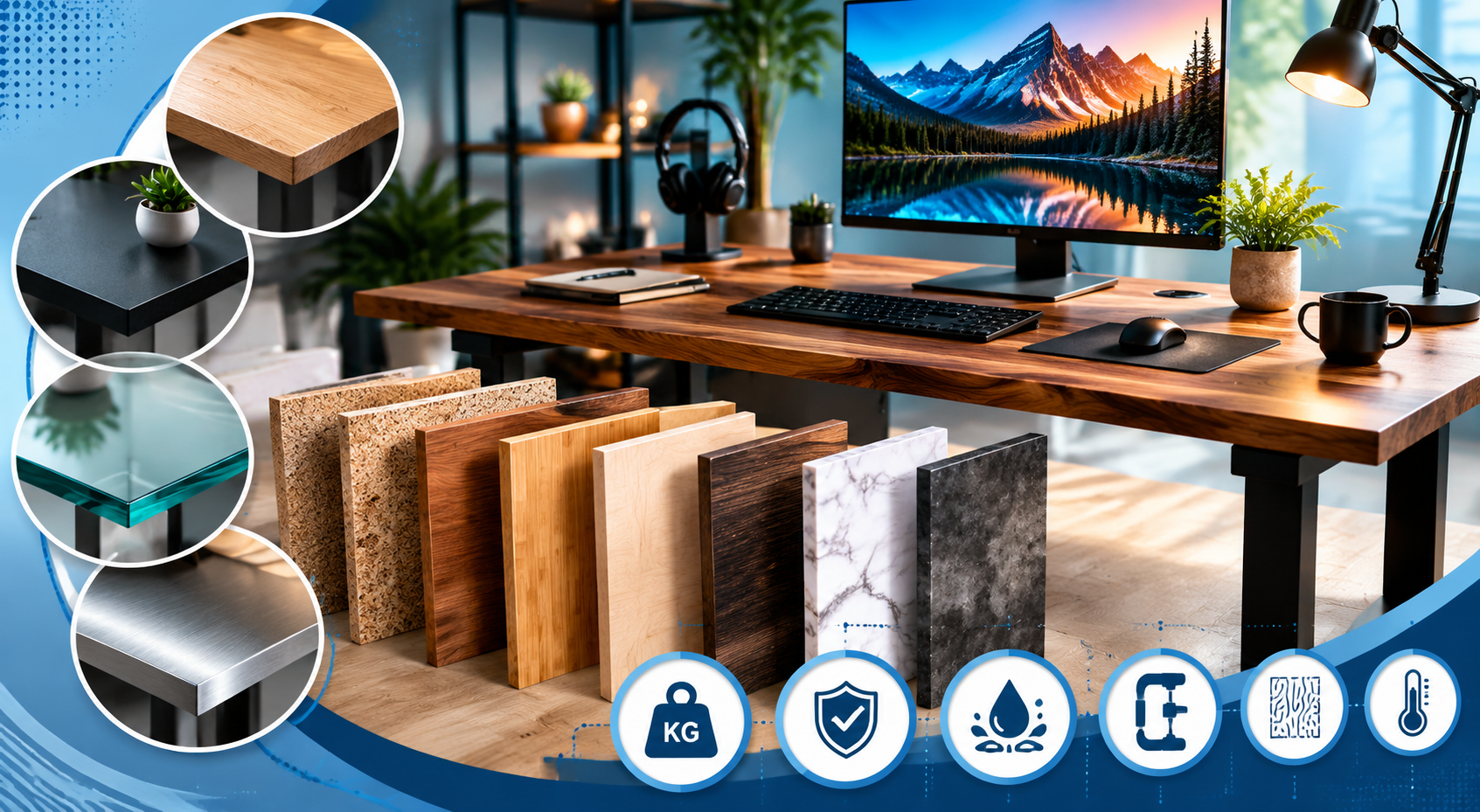
Before diving into individual materials, let me explain what a computer desk tabletop actually needs to do. Because a desk isn’t a dining table. It isn’t a coffee table. It isn’t a workbench. Computer desks face specific stresses and requirements that eliminate some materials entirely and make others shine.
Weight bearing over time. A typical dual-monitor setup with a computer, speakers, desk lamp, and accessories puts 25 to 50 kg (55 to 110 lbs) of sustained weight on a desktop. That weight sits there permanently. Day after day. Month after month. Some materials handle sustained static load perfectly. Others slowly deform under it. The sagging I experienced with particle board? That’s what happens when a material can’t handle sustained weight across an unsupported span.
Span without support matters enormously. Most desks have legs at the corners or edges, leaving the center unsupported across 100 to 150 cm (40 to 60 inches). The material needs enough rigidity to stay flat across that span while bearing weight. Thinner or weaker materials need center support or shorter spans. Stronger materials can span wider distances without deflection.
Surface durability for daily contact. Your wrists rest on this surface. Your mouse slides across it (or across a pad on it). You set coffee mugs, phones, tools, and random objects on it constantly. The surface needs to resist scratching, staining, heat marks, and moisture rings without requiring you to treat it like a museum artifact.
Clamping compatibility. Monitor arms, desk lamps, microphone booms, and cable management accessories clamp to desk edges. The material needs enough density and thickness at the edge to hold clamps securely without crushing, cracking, or deforming. This eliminates some materials and requires minimum thickness for others.
Thermal comfort. You touch this surface for hours. Metal and glass feel cold. Wood and bamboo feel neutral. Stone feels cold and hard. For long work sessions, thermal comfort affects how pleasant the desk feels to use even if you don’t consciously notice it.
Acoustic properties. Hard surfaces reflect sound. Typing on a keyboard sitting on glass or metal creates more noise than typing on wood or laminate. For people in video calls all day or sharing space with others, surface acoustics matter more than you’d expect.
Moisture and humidity response. Solid wood expands and contracts with humidity changes. Engineered materials stay stable. Glass and metal don’t react at all. If your workspace has variable humidity (basement offices, non-climate-controlled rooms, garages), material stability becomes critical.
Understanding these requirements helps you evaluate each material against your specific situation rather than just picking whatever looks nice online.
2. Particle Board
Let me start with the material that taught me this lesson the hard way. Particle board is the most common desktop material in budget furniture. If you’ve bought a desk from a big-box store for under $150, there’s about a 90% chance the top is particle board with some kind of surface coating.
What it actually is: Wood particles (sawdust, chips, shavings) mixed with synthetic resin binder and pressed into flat sheets under heat and pressure. The particles are randomly oriented, creating a material that’s uniform but structurally weak compared to solid wood or plywood. Usually covered with a veneer, laminate, or melamine surface to hide the unattractive particle core and provide a finished appearance.
Thickness range for desks: Usually 15 to 25 mm (5/8 to 1 inch). Budget desks use thinner boards. Better quality particle board desks use 25 mm or thicker.
The reality check: Particle board is furniture’s fast food. Cheap. Available everywhere. Gets the job done in the short term. But nobody pretends it’s quality. The material exists because it’s inexpensive to manufacture from wood waste products. It fills a market need for affordable furniture. That’s its purpose. Nothing more.
What’s Good About Particle Board
Cost is the primary advantage. Particle board desks cost significantly less than any other material on this list. For students, temporary setups, or situations where budget is the absolute priority, particle board makes furniture accessible. A functional computer desk for under $100 exists because of particle board. Without it, the entry price for a desk would be much higher.
Flat and consistent surface. Manufacturing produces perfectly flat sheets without the natural variations found in solid wood. No grain patterns to work around. No knots. No warping from the factory. The surface starts perfectly level, which matters for computer work.
Lightweight for moving and assembly. Particle board desks are easy to carry, assemble, and reposition. For people who move frequently (students, renters) or who need to rearrange their space regularly, the light weight is genuinely practical.
Available everywhere immediately. Every furniture store, every online retailer, every big-box store stocks particle board desks. No waiting for custom orders. No searching for specialty suppliers. Walk in, buy it, assemble it tonight, work at it tomorrow.
What’s Not Great About Particle Board
Structural weakness under sustained load. This is the fatal flaw for computer desks. Particle board has poor resistance to sustained bending stress. Weight placed on an unsupported span causes gradual deflection (sagging) over months. A 120 cm span with 30+ kg of equipment will eventually sag. Not might. Will. The timeline depends on thickness and load, but it happens. My desk took fourteen months. Some fail faster.
Moisture destroys it. Particle board absorbs water like a sponge. Spill coffee on an exposed edge or surface chip? The particles swell, bubble, and permanently deform. Once moisture gets into particle board, the damage is irreversible. The material literally falls apart. Humid environments accelerate degradation even without direct liquid contact.
Edge weakness. The edges of particle board are its most vulnerable point. Clamps crush them. Impacts chip them. Once the surface coating breaks at an edge, moisture enters and destruction begins. Monitor arm clamps can crush particle board edges if overtightened. I’ve seen desks where the clamp literally sank into the material.
Cannot be refinished. When the surface coating scratches, chips, or wears through, there’s no fixing it. You can’t sand and refinish particle board like solid wood. The damage is permanent. The desk looks progressively worse over time with no repair option.
Short lifespan. Expect two to four years of use from a particle board computer desk under normal conditions. Heavy use or humid environments shorten this further. For the price, that might be acceptable. But you’ll buy two or three particle board desks in the time one solid wood desk lasts.
Off-gassing concerns. The formaldehyde-based resins used to bind particles release volatile organic compounds (VOCs) into the air, particularly when new. The EPA has documented health concerns related to formaldehyde exposure from composite wood products. Low-emission (E1 or CARB2 compliant) particle board reduces this issue but doesn’t eliminate it entirely.
Who should use it: Students on tight budgets. Temporary workspace setups. Situations where the desk will be replaced within two to three years anyway. Light-use desks without heavy equipment. Anyone who prioritizes immediate affordability over longevity.
3. MDF (Medium Density Fiberboard) and HDF (High Density Fiberboard)
MDF is particle board’s more refined sibling. Same concept (wood fibers plus resin pressed into sheets) but executed with finer particles and higher pressure, creating a denser, stronger, more consistent material. HDF takes this further with even higher compression.
What it actually is: Wood fibers (much finer than particle board’s chunks) broken down almost to individual cell level, mixed with resin, and pressed under high heat and pressure into dense, uniform sheets. The result is smoother, stronger, and more consistent than particle board. MDF density runs 600 to 800 kg/m3. HDF exceeds 800 kg/m3.
Thickness range for desks: 18 to 30 mm typically. Thicker sheets provide better rigidity for wider spans.
The reality check: MDF occupies the middle ground between particle board and solid wood. Significantly better than particle board in almost every way. Significantly cheaper than solid wood. For painted or coated desktops where you don’t need visible wood grain, MDF delivers excellent performance at reasonable cost.
What’s Good About MDF and HDF
Smooth, consistent surface is perfect for painting and coating. MDF’s fine fiber structure creates an incredibly smooth surface without grain patterns, knots, or texture variations. Paint adheres beautifully. Laminate bonds perfectly. Veneer lays flat without telegraphing irregularities. For desktops with painted or coated finishes, MDF provides a better substrate than solid wood.
Stronger than particle board under load. Higher density means better resistance to bending and sagging. A 25 mm MDF desktop handles sustained weight across typical desk spans (120 to 150 cm) much better than equivalent particle board. Not as rigid as plywood or solid wood, but a meaningful improvement over particle board for computer desk applications.
Machines beautifully. MDF cuts cleanly without splintering. Edges can be routed into profiles. Holes drill precisely. For custom desk builds or desks with shaped edges, rounded corners, or cable management holes, MDF cooperates with tools better than particle board or even some solid woods.
Dimensionally stable. MDF doesn’t expand and contract with humidity changes the way solid wood does. The cross-linked fiber structure resists seasonal movement. Your desktop stays flat and consistent regardless of environmental conditions. For climate-variable workspaces, this stability matters.
Cost-effective for quality. MDF costs more than particle board but delivers substantially better performance. The price-to-performance ratio is excellent. A well-made MDF desktop with quality coating provides years of reliable service at a fraction of solid wood pricing.
What’s Not Great About MDF and HDF
Weight is substantial. MDF is heavy. A 150 cm x 75 cm desktop in 25 mm MDF weighs approximately 25 to 30 kg (55 to 66 lbs) for the top alone. Moving, assembling, and repositioning MDF desks requires effort. For standing desk frames that raise and lower, heavy MDF tops stress the lifting mechanism more than lighter alternatives.
Moisture vulnerability remains. Better than particle board but still problematic. MDF swells when exposed to sustained moisture. Edges are particularly vulnerable. Spills need immediate cleanup. Uncoated MDF in humid environments will eventually degrade. The improvement over particle board is real but the fundamental weakness to moisture persists.
Cannot be refinished like solid wood. Once the surface coating is damaged, repair options are limited. You can repaint MDF. You can re-laminate it. But you can’t sand it down to beautiful natural wood underneath because there is no natural wood underneath. Just compressed fibers.
Screw holding is moderate. MDF holds screws better than particle board but worse than solid wood or plywood. Screws driven into MDF edges (rather than faces) have particularly weak holding power. For desk accessories that screw into the surface or edge, this can be a limitation. Threaded inserts help but add complexity.
Same formaldehyde concerns as particle board. MDF uses urea-formaldehyde or similar resins as binders. Off-gassing occurs, particularly from freshly manufactured or cut material. Look for E1 or CARB Phase 2 compliant MDF to minimize exposure. Sealing all surfaces and edges with paint or coating also reduces emissions significantly.
HDF specifically is harder to source. While MDF is available everywhere, true HDF (above 800 kg/m3) is less commonly stocked at retail. Custom desk builders can source it but off-the-shelf HDF desktops are less common than MDF options.
Who should use it: Mid-range computer desks. Painted or coated desktop finishes. Custom desk builds where machinability matters. Standing desk tops where dimensional stability is important. Anyone wanting better-than-particle-board performance without solid wood pricing.
4. Solid Hardwood
Solid hardwood is the gold standard for desk surfaces. Has been for centuries. There’s a reason executive desks, heirloom furniture, and premium workspaces use solid wood. Nothing else combines beauty, durability, repairability, and tactile pleasure the way real wood does.
What it actually is: Planks cut directly from hardwood trees (oak, walnut, maple, cherry, ash, beech), dried, milled to thickness, and either used as single wide boards or edge-glued into panels. The wood retains its natural grain pattern, color variation, and structural properties. Common species for desktops: white oak, walnut, maple, cherry, ash.
Thickness range for desks: 25 to 45 mm (1 to 1.75 inches). Thicker boards provide more rigidity and a more substantial appearance. Most quality hardwood desktops run 30 mm or thicker.
The reality check: Solid hardwood is the premium choice. It costs more. It weighs more. It requires more care. But it rewards you with a desktop that looks beautiful, feels wonderful to touch, lasts decades, and can be repaired and refinished multiple times throughout its life. This is buy-it-once furniture.
What’s Good About Solid Hardwood
Strength and rigidity are excellent. Hardwood species like oak, maple, and walnut have high bending strength. A 30 mm hardwood desktop spans 150 cm without deflection under heavy computer equipment. No sagging. No flexing. The surface stays perfectly flat under load for decades. This structural confidence means you never worry about your equipment being too heavy.
Beauty that improves with age. Natural wood grain is visually stunning in ways no manufactured material replicates. Each piece is unique. The grain tells a story. Colors deepen over time as wood oxidizes. Walnut develops richer chocolate tones. Cherry darkens to warm amber. Oak develops golden patina. Your desk becomes more beautiful the longer you own it.
Completely repairable and refinishable. Scratches, dents, stains, water rings? Sand them out. Refinish the surface. The desk looks new again. You can do this multiple times over the desk’s lifetime. A solid hardwood desktop can be refinished five to ten times before the wood becomes too thin. That’s potentially 50+ years of use from a single piece of wood.
Tactile warmth and comfort. Wood feels warm and natural under your hands. Not cold like metal or glass. Not plasticky like laminate. During long work sessions, the natural warmth of wood against your wrists and forearms is genuinely more comfortable than hard, cold, or synthetic surfaces. You might not consciously notice it, but your body does.
Excellent clamp holding. Dense hardwood grips clamps, screws, and fasteners securely. Monitor arms, desk lamps, and accessories attach firmly without crushing or deforming the material. The edge strength of solid hardwood is superior to every engineered material on this list.
Acoustic dampening. Wood absorbs sound rather than reflecting it. Typing, mouse clicking, and setting objects down on a wood surface produces less noise than glass, metal, or stone. For shared workspaces or video call environments, this acoustic advantage reduces ambient noise.
Sustainability when sourced responsibly. Wood is renewable, biodegradable, and stores carbon. The Forest Stewardship Council (FSC) certifies sustainably harvested wood. Choosing FSC-certified hardwood means your desk came from responsibly managed forests. At end of life, wood biodegrades naturally or can be repurposed.
What’s Not Great About Solid Hardwood
Cost is the primary barrier. Quality hardwood desktops cost significantly more than engineered alternatives. A walnut desktop slab runs $300 to $800+ depending on size and quality. Oak and maple are somewhat less expensive but still premium. The material cost alone exceeds the total price of many complete particle board or MDF desks.
Seasonal movement is real. Solid wood expands across the grain in humid conditions and contracts in dry conditions. This movement can cause slight warping, gaps in edge-glued panels, or finish cracking if the wood isn’t properly dried and acclimated before finishing. Climate-controlled environments minimize this issue but don’t eliminate it entirely.
Weight makes moving difficult. A solid hardwood desktop is heavy. A 150 cm x 75 cm walnut top at 30 mm thickness weighs 30 to 40 kg (66 to 88 lbs). Moving it requires help. For standing desk frames, this weight stresses motors and mechanisms. For people who rearrange frequently, the weight is a genuine inconvenience.
Requires maintenance. Wood finishes (oil, polyurethane, lacquer) need periodic renewal. Oil finishes need reapplication every six to twelve months. Even polyurethane finishes eventually wear through in high-contact areas and need refreshing. Solid wood demands ongoing attention that engineered materials don’t.
Susceptible to damage without finish. Unfinished or poorly finished wood stains from liquids, dents from impacts, and marks from heat. The finish is what protects the wood. If the finish fails or gets damaged, the wood underneath is vulnerable. Maintaining the finish is essential.
Lead time for custom pieces. Quality hardwood desktops often require custom ordering. Wood needs to be selected, dried, milled, glued (for panels), and finished. This process takes weeks to months depending on the supplier. You can’t always walk in and buy a hardwood desktop same-day like you can with particle board furniture.
Who should use it: Long-term home office setups. People who value aesthetics and craftsmanship. Buy-it-once buyers willing to invest upfront for decades of use. Premium workspace design. Anyone who wants a desk that becomes more beautiful over time rather than degrading.
5. Plywood
Plywood is the engineer’s choice for desktops. It takes wood’s natural beauty and strength, then solves wood’s biggest weakness (seasonal movement) through clever construction. For computer desks specifically, plywood might be the best overall value proposition on this list.
What it actually is: Thin layers (veneers) of real wood glued together with alternating grain directions. Each layer’s grain runs perpendicular to the adjacent layers. This cross-grain construction creates a material that’s dimensionally stable (doesn’t expand/contract like solid wood), incredibly strong for its weight, and resistant to warping. Quality plywood uses hardwood face veneers (birch, walnut, oak) over a core of multiple inner plies.
Thickness range for desks: 18 to 30 mm. Baltic birch plywood at 24 mm is a popular choice for custom desk builds. Thicker options (30 mm) provide additional rigidity for wider spans.
The reality check: Plywood doesn’t get the respect it deserves in the desk world. People associate it with construction and subfloors rather than furniture. But furniture-grade plywood with quality face veneers creates desktops that rival solid wood in appearance while outperforming it in stability and often costing less.
What’s Good About Plywood Desks
Dimensional stability is superior to solid wood. The cross-grain construction means plywood doesn’t expand, contract, or warp with humidity changes. Your desktop stays perfectly flat regardless of environmental conditions. For non-climate-controlled spaces, basements, garages, or anywhere humidity fluctuates, plywood maintains its shape where solid wood might warp.
Strength-to-weight ratio is excellent. Plywood is lighter than solid hardwood of equivalent thickness while maintaining comparable bending strength. A 24 mm Baltic birch plywood desktop handles heavy computer equipment across wide spans without deflection. The cross-laminated structure distributes load efficiently.
Exposed edges look distinctive. Unlike MDF or particle board where edges need hiding, plywood edges display attractive layered patterns. Many modern desk designs intentionally expose plywood edges as a design feature. The striped edge pattern communicates quality and intentional design rather than cheap construction.
More affordable than solid hardwood. Plywood with premium face veneers (walnut, oak, cherry) costs 40 to 60 percent less than equivalent solid hardwood while providing similar visual appearance on the surface. You get the look of walnut or oak at a fraction of solid wood pricing.
Excellent screw and clamp holding. The cross-grain layers grip fasteners from multiple directions. Screws hold firmly. Clamps grip securely. Monitor arms and accessories attach reliably without the edge-splitting risk that solid wood sometimes presents.
Can be refinished (with limitations). The face veneer can be lightly sanded and refinished once or twice depending on veneer thickness. Not as many refinishing cycles as solid wood, but more than zero. Surface scratches and wear can be addressed.
Readily available in large sheets. Plywood comes in standard 4×8 foot sheets, making it easy to cut custom desktop sizes without edge-gluing multiple boards together. One sheet, one cut, one desktop. Simple.
What’s Not Great About Plywood Desks
Face veneer is thin and vulnerable. The beautiful wood surface is only 0.5 to 3 mm thick depending on plywood grade. Deep scratches or dents penetrate through the veneer into the core layers, creating visible damage that’s difficult to repair. You need to be more careful with plywood surfaces than solid wood surfaces.
Quality varies enormously. Construction-grade plywood is completely different from furniture-grade plywood. Cheap plywood has voids (gaps) in inner layers, rough face veneers, and inconsistent thickness. Quality plywood (Baltic birch, ApplePly, or premium hardwood-faced panels) costs more but performs dramatically better. Knowing what to specify when ordering matters.
Edges need finishing. While exposed plywood edges can look great, they require intentional finishing. Raw plywood edges are rough and can splinter. Edge banding, routing, sanding, or intentional design treatment is needed. This adds labor to custom builds.
Not as acoustically warm as solid wood. Plywood’s layered structure doesn’t dampen sound quite as effectively as solid wood. The difference is subtle but present. Typing and object placement create slightly more noise on plywood than on thick solid hardwood.
Limited thickness options at retail. Finding plywood thicker than 24 mm at standard lumber retailers can be difficult. For desktops wanting the substantial feel of 30+ mm thickness, you may need to laminate two sheets together or source from specialty suppliers.
Who should use it: Custom desk builders. DIY enthusiasts. Modern/industrial aesthetic workspaces. Standing desk tops where weight matters. Variable-humidity environments. Anyone wanting wood appearance and performance at lower cost than solid hardwood. For businesses sourcing plywood desktops at scale, a manufacturing partner with furniture experience can identify quality plywood suppliers and handle production oversight.
6. Bamboo Table
Bamboo has surged in popularity for desktops over the past decade. Standing desk companies especially love it. And for good reason. Bamboo offers a unique combination of sustainability, hardness, and visual warmth that works exceptionally well for computer desks.
What it actually is: Bamboo strips (from the bamboo stalk) laminated together under pressure to form solid panels. Two main construction types exist. Horizontal grain (flat-pressed) shows the bamboo nodes as a distinctive pattern. Vertical grain (edge-pressed) shows thin parallel lines for a more uniform appearance. Strand-woven bamboo compresses shredded bamboo fibers under extreme pressure, creating the hardest and most durable variant.
Thickness range for desks: 19 to 30 mm. Strand-woven bamboo at 25 mm provides excellent rigidity. Standard laminated bamboo at 25 to 30 mm works well for most desk applications.
The reality check: Bamboo isn’t technically wood. It’s a grass. But it performs like hardwood in desktop applications and often exceeds hardwood in hardness and sustainability metrics. The material has earned its place in the desk market through genuine performance rather than just green marketing.
What’s Good About Bamboo Tabletops
Hardness exceeds most hardwoods. Strand-woven bamboo rates 3,000+ on the Janka hardness scale. For comparison, red oak rates 1,290 and hard maple rates 1,450. Even standard laminated bamboo rates around 1,380. This hardness translates directly to scratch resistance. Bamboo desktops resist surface damage from daily use better than most wood species.
Sustainability story is genuinely strong. Bamboo reaches harvest maturity in 3 to 5 years versus 20 to 80 years for hardwood trees. It regenerates from its root system without replanting. Requires no pesticides in most growing conditions. Sequesters carbon rapidly during growth. The International Network for Bamboo and Rattan (INBAR) has documented bamboo’s environmental advantages extensively. For eco-conscious buyers, bamboo’s sustainability credentials are legitimate and verifiable.
Dimensional stability is excellent. Laminated bamboo construction resists warping, expanding, and contracting better than solid hardwood. The cross-laminated strips counteract each other’s movement tendencies. Bamboo desktops stay flat and stable across humidity variations.
Naturally antimicrobial. Bamboo contains a bio-agent (bamboo kun) that resists bacterial growth on the surface. For a surface you touch for hours daily, this natural antimicrobial property keeps the desktop more hygienic between cleanings.
Warm and comfortable to touch. Like wood, bamboo feels thermally neutral under your hands. Not cold like metal or glass. Pleasant for extended contact during long work sessions.
Moderate pricing. Bamboo desktops cost less than premium hardwoods (walnut, cherry) while offering comparable or superior hardness. Pricing typically falls between plywood and solid hardwood, making bamboo an accessible premium option.
Light color brightens workspaces. Natural bamboo has a warm, light honey tone that reflects light and makes workspaces feel open and bright. For darker rooms or smaller offices, bamboo’s natural color helps the space feel less cramped.
What’s Not Great About Bamboo Tabletops
Limited color options. Natural bamboo comes in light honey (natural) or darker caramel (carbonized, achieved through heat treatment). Staining bamboo to other colors is possible but results vary. You won’t get the rich dark chocolate of walnut or the deep red of cherry from bamboo without heavy staining that obscures the natural grain pattern.
Carbonized bamboo is weaker. The heat treatment that darkens bamboo (carbonization) also reduces its hardness by approximately 30%. If you want darker bamboo, you sacrifice some of the hardness advantage. This tradeoff isn’t always communicated clearly by manufacturers.
Susceptible to moisture damage at joints. While the bamboo strips themselves handle moisture reasonably well, the adhesive joints between strips can fail if exposed to sustained moisture. Spills need prompt cleanup. Standing water on bamboo desktops can cause delamination at strip boundaries over time.
Quality varies by manufacturer. Not all bamboo panels are created equal. Cheap bamboo desktops use lower-quality adhesives, thinner strips, and less precise manufacturing. These can develop gaps between strips, surface irregularities, or adhesive failure over time. Quality bamboo from reputable manufacturers performs excellently. Budget bamboo can disappoint.
Scratches show on light surfaces. While bamboo is hard, its light color means scratches that penetrate the finish show as darker marks against the pale surface. On darker woods, minor scratches blend in. On light bamboo, they’re visible. Regular maintenance of the finish coat prevents most scratching from reaching the bamboo itself.
Who should use it: Standing desk setups. Eco-conscious buyers. Modern and minimalist workspace aesthetics. Anyone wanting hardwood-level performance with better sustainability credentials. Light, bright workspace designs.
7. Laminate Desk
Laminate is the chameleon of tabletop materials. It can look like wood, stone, metal, or solid colors. It resists damage better than most natural materials. And it costs a fraction of what it imitates. For pure practicality in a computer desk, laminate is hard to beat.
What it actually is: A thin decorative surface layer (printed paper or film impregnated with melamine resin) bonded under high pressure to a substrate (usually MDF or particle board). High-pressure laminate (HPL) is thicker and more durable than low-pressure laminate (LPL). The decorative layer can reproduce virtually any pattern, color, or texture. Brands like Formica and Wilsonart produce hundreds of laminate designs.
Thickness: The laminate layer itself is only 0.6 to 1.2 mm thick. Total desktop thickness depends on the substrate (usually 18 to 30 mm total).
The reality check: Laminate gets dismissed as “fake” by material purists. And yes, it’s a printed surface pretending to be something else. But modern high-pressure laminate is remarkably convincing visually, incredibly durable functionally, and costs far less than the materials it imitates. For a computer desk that needs to survive years of daily abuse without showing wear, laminate delivers.
8. Glass Desktop
Glass desks dominated modern office aesthetics in the 2000s and 2010s. The clean, transparent look appealed to minimalist design sensibilities. And glass does create a visually striking workspace. But after years of watching people actually work at glass desks daily, I have strong opinions about their practical limitations.
What it actually is: Tempered safety glass, usually 8 to 12 mm thick, used as the entire desktop surface or as a panel set into a frame. Tempered glass is heat-treated to be approximately four times stronger than regular glass and breaks into small, relatively safe pieces rather than dangerous shards if it does fail. Available in clear, frosted, tinted (black, white, gray), or back-painted finishes.
Thickness range for desks: 8 mm for smaller desks with frame support. 10 to 12 mm for larger desks or frameless designs. Thicker glass provides more rigidity across unsupported spans.
The reality check: Glass desks look incredible in photos and showrooms. Clean lines. Modern aesthetic. Light passes through. The workspace feels open and airy. But living with a glass desk daily for computer work reveals practical issues that photos never show.
What’s Good About Glass Desktops
Visual lightness opens up small spaces. Glass doesn’t visually block the space it occupies. In small rooms, a glass desk makes the space feel less crowded than an opaque desk of the same size. Light passes through and around it. The room feels more open. For compact home offices where space feels tight, glass desks reduce visual weight.
Easy to clean. Glass wipes clean instantly. Dust, crumbs, spills, marks all disappear with a quick wipe. No absorption. No staining. No special cleaners needed (glass cleaner works perfectly). The surface stays hygienic with minimal effort.
Doesn’t degrade over time. Glass doesn’t scratch easily (tempered glass is quite hard), doesn’t fade, doesn’t warp, doesn’t sag, doesn’t absorb odors, doesn’t react to humidity. The surface looks identical on day one and day one thousand. No aging. No wear patterns. No degradation.
Modern aesthetic that photographs beautifully. For content creators, streamers, or anyone whose workspace appears on camera, glass desks create a clean, professional background. The transparency prevents the desk from dominating the visual frame.
No off-gassing or chemical concerns. Glass is inert. No formaldehyde. No VOCs. No chemical emissions. For people sensitive to indoor air quality, glass eliminates material-related air quality concerns entirely.
What’s Not Great About Glass Desktops
Fingerprints and smudges show constantly. This is the daily reality of glass desks that photos never reveal. Every touch leaves a visible mark. Your wrists resting on the surface leave oil prints. Setting anything down leaves a mark. You either clean the surface multiple times daily or accept that your desk always looks smudged. Clear glass is the worst offender. Frosted glass hides prints better but still shows them.
Cold to the touch. Glass conducts heat away from your body. In anything less than warm room temperature, a glass desktop feels cold against your wrists and forearms. During winter months in cooler rooms, this cold sensation is genuinely uncomfortable during long work sessions. You end up using a desk pad or long sleeves to avoid direct skin contact, which defeats the purpose of choosing glass for its appearance.
Noise amplification. Glass reflects sound rather than absorbing it. Every keystroke, mouse click, pen drop, and object placement creates more noise on glass than on wood or laminate. In quiet environments or during video calls, this amplified noise is noticeable and annoying. Your microphone picks up desk noise more readily with glass surfaces.
Glare from lighting. Glass surfaces reflect overhead lights, windows, and screen backlighting. These reflections can create distracting glare in your peripheral vision while working. Positioning lighting to avoid glass reflections limits your room layout options.
Clamp compatibility is limited. You cannot clamp monitor arms, desk lamps, or accessories to glass edges the way you can with wood or MDF. The glass will crack under clamp pressure. This eliminates most clamp-mounted accessories unless the desk has a metal frame with clamping points. For modern setups that rely on monitor arms, this limitation is significant.
Fragility despite tempering. Tempered glass is strong but not indestructible. Impact on edges (the weakest point) can cause catastrophic failure where the entire panel shatters. Dropping heavy objects on the surface can crack it. Once cracked, the entire panel needs replacement. There’s no repairing glass.
Weight of equipment creates stress points. Heavy monitors, especially on stands with small footprints, concentrate weight on small areas of the glass surface. While tempered glass handles distributed weight well, point loads create stress concentrations. Using felt pads under equipment bases distributes load and reduces risk.
Who should use it: Minimalist aesthetic priorities. Small spaces needing visual openness. Light-use desks without heavy equipment. Warm environments where cold surface isn’t an issue. Setups that don’t require clamp-mounted accessories. People willing to clean frequently.
9. Acrylic Tabletop
Acrylic is glass’s lighter, warmer, more forgiving cousin. It offers similar transparency and modern aesthetics without glass’s weight, coldness, and fragility concerns. For specific applications, acrylic makes more sense than glass despite being less common in the desk market.
What it actually is: Polymethyl methacrylate (PMMA), a transparent thermoplastic often sold under brand names like Plexiglas, Lucite, or Perspex. Available in clear, frosted, colored, and opaque finishes. Lighter than glass. More impact-resistant than glass. But softer and more scratch-prone.
Thickness range for desks: 12 to 25 mm. Thicker sheets provide more rigidity. Acrylic flexes more than glass of equivalent thickness, so thicker material is needed for equivalent spans.
The reality check: Acrylic desks occupy a niche market. They’re not as common as glass or wood desks. But for specific situations (lightweight needs, safety concerns, unique aesthetics), acrylic offers advantages no other material matches.
What’s Good About Acrylic Tabletops
Lightweight compared to glass. Acrylic weighs approximately half what glass weighs for equivalent dimensions. A large acrylic desktop is manageable for one person to move. For standing desk frames, the reduced weight means less stress on lifting mechanisms and smoother height adjustments.
Impact resistant. Acrylic is 17 times more impact-resistant than glass. It doesn’t shatter catastrophically. If it does break (which requires significant force), it breaks into large, dull pieces rather than dangerous shards. For households with children or environments where impacts are possible, acrylic is dramatically safer than glass.
Warmer to touch than glass. Acrylic doesn’t conduct heat as aggressively as glass. The surface feels less cold against skin. Not as warm as wood, but noticeably more comfortable than glass during extended contact.
Can be machined and shaped. Unlike glass which requires specialized cutting, acrylic can be drilled, routed, and shaped with standard tools. Cable management holes, custom shapes, and rounded edges are easy to create. This flexibility enables custom desk designs that glass makes difficult or expensive.
UV resistant (with proper formulation). Quality acrylic resists yellowing from UV exposure. The material maintains clarity over years of use near windows without degrading. Cheaper acrylics may yellow over time, so material quality matters.
What’s Not Great About Acrylic Tabletops
Scratches easily. This is acrylic’s fatal flaw for desk use. The surface is significantly softer than glass. Sliding objects across it creates visible scratches. Setting keys, tools, or rough-bottomed objects on it marks the surface. Within months of daily computer use, an acrylic desktop develops a network of fine scratches that cloud the surface and destroy the clean transparent look.
Scratches are repairable but tedious. You can polish scratches out of acrylic using progressively finer abrasives. But this is time-consuming and needs repeating regularly if you’re using the desk daily. Most people won’t maintain this polishing schedule, and the surface degrades visually over time.
Static electricity attracts dust. Acrylic generates and holds static charge. This static attracts dust particles to the surface constantly. You’ll notice dust accumulating on an acrylic desk faster than on any other material. Frequent dusting becomes necessary.
Flexes under load. Acrylic is less rigid than glass of equivalent thickness. Heavy equipment on an acrylic desktop can cause visible deflection (bowing) across unsupported spans. Thicker material or additional support points are needed to prevent this.
Cost is higher than glass for equivalent quality. Quality acrylic sheet material costs more per square meter than tempered glass. Combined with the need for thicker material to achieve equivalent rigidity, acrylic desktops often cost more than glass alternatives.
Yellowing over time with cheap material. Low-quality acrylic yellows with age and UV exposure. The once-clear surface develops a yellowish tint that looks aged and cheap. Investing in quality UV-stabilized acrylic prevents this but increases cost further.
Who should use it: Design-focused spaces where unique aesthetics matter. Lightweight requirements. Safety-conscious environments. Custom desk shapes. Situations where glass’s weight or fragility is problematic. Short-term or light-use applications where scratching is less of a concern.
10. Metal Desktop
Metal desks aren’t just for industrial workshops anymore. Steel and aluminum desktops have found their way into modern home offices, gaming setups, and professional workspaces. The material offers durability that nothing else on this list can match, but comes with tradeoffs that matter for daily computer use.
What it actually is: Sheet steel (usually powder-coated or painted) or aluminum (anodized or brushed) formed into desktop panels. Steel desktops are typically 1.5 to 3 mm sheet metal formed over a frame or honeycomb core for rigidity. Aluminum desktops use thicker material (3 to 6 mm) or extruded profiles. Some metal desktops combine a thin metal surface over an MDF or plywood core for rigidity without excessive weight.
The reality check: Metal desktops are polarizing. People either love the industrial aesthetic and indestructible durability, or they hate the cold feel and noise. There’s rarely a middle ground opinion on metal desks.
What’s Good About Metal Desktops
Virtually indestructible surface. Metal doesn’t scratch from normal desk use. Doesn’t dent from typical impacts. Doesn’t stain. Doesn’t warp. Doesn’t sag. Doesn’t degrade from moisture or humidity. A metal desktop survives decades of heavy use without showing meaningful wear. For environments where desks face abuse (workshops, studios, shared offices), metal outlasts everything.
Completely moisture proof. Spill anything on metal. It doesn’t matter. Water, coffee, chemicals, whatever. Wipe it off. No absorption. No swelling. No staining. No damage. For workspaces where liquids are present (labs, studios, kitchens), metal’s imperviousness to moisture is unmatched.
Magnetic surface (steel only). Steel desktops work with magnets. You can attach notes, cable organizers, small tools, and accessories using magnets rather than adhesives or clamps. This creates unique organization possibilities that no other material offers.
Thin profile with high strength. Metal desktops can be much thinner than wood or engineered materials while maintaining equivalent or superior rigidity. A 25 mm metal desktop (sheet over frame) is stronger than a 30 mm solid wood desktop. This thin profile creates a sleek, modern appearance.
Fire resistant. Metal doesn’t burn. For workspaces with soldering equipment, hot tools, or fire safety requirements, metal desktops eliminate combustion risk entirely.
Easy to clean and sanitize. Metal surfaces can be cleaned with any cleaner including disinfectants and harsh chemicals without damage. For hygiene-critical environments, metal allows thorough sanitization that porous materials don’t permit.
What’s Not Great About Metal Desktops
Cold to the touch. Metal conducts heat aggressively. In anything below warm room temperature, a metal desktop feels cold against skin. During winter, the cold sensation is genuinely unpleasant for extended work sessions. Most metal desk users end up covering the surface with a desk mat, which raises the question of why you chose metal if you’re going to cover it.
Noise is significant. Metal amplifies every sound. Typing is louder. Setting objects down creates sharp metallic sounds. Mouse movement is audible. Phone vibrations resonate through the surface. In quiet environments or during calls, metal desk noise is a real problem. Studies on workplace acoustics have documented how hard reflective surfaces increase ambient noise levels.
Fingerprints and smudges (on certain finishes). Brushed aluminum and dark powder-coated surfaces show fingerprints and oil marks clearly. Similar to glass, you’re either cleaning constantly or accepting a perpetually smudged appearance.
Limited warmth and character. Metal feels industrial. Clinical. Cold in both temperature and personality. It lacks the warmth, character, and natural beauty of wood or bamboo. For home offices where you want the space to feel inviting and comfortable, metal can feel sterile and unwelcoming.
Potential for rust (steel). Untreated or damaged steel surfaces can rust if the protective coating is compromised. Powder coating prevents this but chips from impacts can expose bare steel to moisture. Aluminum doesn’t rust but can oxidize.
Glare from reflective finishes. Polished or brushed metal surfaces reflect light sources, creating glare similar to glass. Matte powder-coated finishes eliminate this issue but limit aesthetic options.
Expensive for quality. A well-made metal desktop (proper gauge steel, quality powder coating, rigid construction) costs more than laminate or MDF alternatives. Budget metal desks use thin gauge steel that dents and flexes. Quality metal desks require investment.
Who should use it: Industrial and modern aesthetic preferences. Environments requiring extreme durability. Workshops and studios. Shared spaces where desks face heavy use. People who use desk mats anyway and want indestructible material underneath. Magnetic organization enthusiasts (steel).
11. Stone Tabletop
Stone desktops are the ultimate statement piece. Nothing communicates permanence, luxury, and seriousness like a slab of natural stone or engineered quartz as your work surface. But stone comes with practical realities that make it challenging for daily computer desk use.
What it actually is: Natural stone (granite, marble, slate, quartzite) or engineered stone (quartz composite) cut and polished into desktop slabs. Natural stone is quarried and cut from geological formations. Engineered quartz combines crushed quartz with resin binders to create consistent, non-porous surfaces. Typical thickness for desktops: 20 to 30 mm.
The reality check: Stone desks are rare in home offices for good reasons. They’re heavy, expensive, cold, and unforgiving. But for specific applications and aesthetics, nothing else achieves what stone delivers visually and in terms of perceived permanence.
What’s Good About Stone Tabletops
Visual impact is unmatched. A natural stone desktop is a statement. Granite’s speckled depth. Marble’s flowing veins. Slate’s layered texture. Quartzite’s crystalline shimmer. No manufactured material replicates the visual complexity and beauty of natural stone. Every slab is unique. Your desk is literally one of a kind.
Completely rigid. Stone doesn’t flex, bend, or sag under any load a computer desk would experience. The surface stays perfectly flat permanently. No deflection concerns regardless of equipment weight or span width.
Heat resistant. You can set hot objects directly on stone without damage. No heat rings. No marks. No concern about laptop heat, coffee mugs, or soldering irons. Stone handles temperature extremes without reaction.
Extremely durable surface (granite and quartz). Granite and engineered quartz are incredibly hard. They resist scratching from virtually anything you’d encounter in an office environment. The surface maintains its polished appearance indefinitely under normal use.
Moisture proof (engineered quartz and sealed granite). Engineered quartz is completely non-porous. Sealed granite resists moisture effectively. Spills don’t penetrate or stain when the surface is properly maintained.
What’s Not Great About Stone Tabletops
Weight is extreme. Stone is the heaviest material on this list by a significant margin. A granite desktop for a standard computer desk weighs 50 to 80 kg (110 to 175 lbs). This weight requires extremely robust desk frames. Moving the desk requires multiple people. Standing desk frames cannot handle stone weight in most cases. The weight limits flexibility permanently.
Cold surface temperature. Stone feels cold. Colder than metal in many cases because of its thermal mass. The surface absorbs body heat without warming up noticeably. During extended work sessions, the cold stone against your wrists and forearms is uncomfortable. A desk mat becomes mandatory rather than optional.
Cost is very high. Natural stone desktops require custom cutting, polishing, and edge finishing. Material plus fabrication costs typically run $500 to $2,000+ depending on stone type and size. Engineered quartz is somewhat less expensive but still premium. This pricing limits stone to luxury applications.
Fragile despite hardness. Stone is hard but brittle. Impact on edges or corners can chip or crack the material. Dropping heavy objects on the surface can cause fractures. Unlike metal which dents but doesn’t break, stone fails catastrophically when its stress limit is exceeded. Repairs are difficult and visible.
Marble specifically stains easily. Marble is porous and reacts to acids. Coffee, wine, citrus, and many common liquids etch or stain marble permanently. For a computer desk where you’ll inevitably set drinks, marble requires constant vigilance or accepts permanent marking. Granite and quartz don’t share this vulnerability.
No clamping possible. You cannot clamp monitor arms or accessories to stone edges. The material will chip or crack under clamp pressure. All accessories must be freestanding or attached through drilled holes (which require professional stone drilling).
Acoustic hardness. Stone reflects all sound. Typing, clicking, and object placement create sharp, loud sounds. The acoustic environment at a stone desk is harsh and clinical.
Who should use it: Luxury home office statements. Executive offices where appearance communicates status. Environments where the desk is permanent (built-in installations). People who prioritize visual impact above practical comfort. Warm climates where cold surfaces are less problematic.
12. Plastic Desk
Plastic desks occupy the absolute budget end of the market. They’re functional, lightweight, affordable, and completely without pretense. Nobody buys a plastic desk because it’s beautiful. They buy it because it’s cheap and it works.
What it actually is: Injection-molded or thermoformed plastic (usually polypropylene or ABS) shaped into desktop surfaces. Sometimes reinforced with internal ribbing or metal frames for rigidity. Common in folding desks, portable workstations, and ultra-budget computer desks. Also appears as HDPE (high-density polyethylene) in more durable applications.
The reality check: Plastic desks serve a purpose. They’re the cheapest functional computer desk option available. For temporary setups, kids’ rooms, dorm rooms, or situations where the desk might get damaged or discarded, plastic makes practical sense. Just don’t expect it to feel like a real workspace.
What’s Good About Plastic Desks
Cheapest option available. Plastic desks cost less than any other material. Basic plastic computer desks start under $50. For absolute budget constraints, plastic provides a functional work surface at minimal cost.
Lightweight and portable. Plastic desks weigh almost nothing compared to wood, metal, or stone. Easy to move, reposition, fold, and store. For temporary setups or spaces that need flexibility, plastic’s light weight is genuinely advantageous.
Completely moisture proof. Plastic doesn’t absorb water. Doesn’t swell. Doesn’t warp from humidity. Doesn’t stain from most liquids. Spill anything on it and wipe it off. No damage. No concern.
Easy to clean. Smooth plastic surfaces clean with any household cleaner. No special maintenance required. No finishing. No sealing. No periodic treatment.
Impact resistant. Plastic dents and flexes rather than cracking or shattering. You can drop things on it, bump it, and abuse it without catastrophic failure. For environments where desks face rough treatment (kids’ rooms, workshops, outdoor use), plastic survives abuse that would damage other materials.
What’s Not Great About Plastic Desks
Looks and feels cheap. There’s no way around this. Plastic desks look like plastic desks. They communicate “temporary” and “budget” regardless of design efforts. For professional video calls, client-facing spaces, or environments where appearance matters, plastic undermines credibility.
Flexes under load. Most plastic desktops lack the rigidity to support heavy computer equipment across standard desk spans without noticeable flexing. Monitors, especially on arms, can cause the surface to bow. This flex creates an unstable feeling that’s distracting during work.
Scratches and scuffs accumulate. Plastic surfaces scratch easily and show wear quickly. Within months of daily use, the surface develops a network of fine scratches that dull the appearance. Unlike wood which can be refinished, scratched plastic stays scratched.
Static electricity. Plastic generates and holds static charge. Dust attraction increases. Static shocks occur in dry conditions. For computer equipment (which is sensitive to static discharge), this is a minor but real concern.
No thermal comfort. Plastic feels neither warm nor cold but has an unpleasant synthetic quality against skin. Extended contact during work sessions feels less comfortable than natural materials.
Environmental concerns. Most desk plastics are petroleum-derived and non-biodegradable. At end of life, plastic desks contribute to landfill waste. Recycling options are limited for mixed-material furniture.
Limited lifespan. UV exposure yellows and brittles plastic over time. Repeated stress causes fatigue cracking. Plastic desks typically last two to five years before looking worn enough to replace. Not a long-term investment.
Who should use it: Ultra-budget needs. Temporary setups. Kids’ rooms and dorm rooms. Outdoor or garage workspaces. Situations where the desk might be damaged or discarded. Portable workspace needs.
13. Melamine Surface
Melamine gets confused with laminate constantly. They’re related but different. And melamine-surfaced desks dominate the mid-range office furniture market so thoroughly that you’ve almost certainly used one even if you didn’t know what it was called.
What it actually is: A thin layer of melamine-impregnated decorative paper thermally fused directly to a substrate (usually particle board or MDF) under heat and pressure. Unlike high-pressure laminate (HPL) which is manufactured separately then bonded to a substrate, melamine is fused during the substrate manufacturing process. This makes it thinner (0.1 to 0.3 mm versus 0.6 to 1.2 mm for HPL) and less expensive but also less durable.
The reality check: Melamine is what most “office desks” in the $100 to $300 range actually use. When you see a desk described as having a “thermally fused” or “thermofused” surface, that’s melamine. It’s the workhorse of commercial office furniture. Functional. Affordable. Adequate. Not exciting.
What’s Good About Melamine Surface Desks
Cost-effective for commercial applications. Melamine surfaces cost less than high-pressure laminate while providing acceptable durability for office use. This cost efficiency is why melamine dominates corporate office furniture. Businesses furnishing dozens or hundreds of workstations choose melamine because the per-desk cost is manageable at scale.
Decent scratch resistance for the price. Melamine resists light scratches from normal office activities. Pens, paper, keyboards, and mice don’t mark the surface under normal use. Not as scratch-resistant as HPL but adequate for typical computer desk activities.
Moisture resistant surface. The melamine layer doesn’t absorb liquids. Spills wipe clean without staining. Coffee rings don’t form. Water doesn’t penetrate. For daily office use where minor spills happen, melamine handles moisture without concern.
Wide variety of colors and patterns. Melamine surfaces come in hundreds of designs mimicking wood grains, solid colors, and textures. Matching existing office decor or personal preferences is easy with the range available.
Low maintenance. No finishing required. No sealing. No periodic treatment. Wipe with a damp cloth and the surface stays clean. For busy professionals who don’t want to think about desk maintenance, melamine asks nothing of you.
Consistent and uniform appearance. Factory-produced melamine surfaces are perfectly consistent. No natural variations, knots, or grain irregularities. Every desk looks identical. For commercial environments wanting uniform appearance across multiple workstations, this consistency matters.
What’s Not Great About Melamine Surface Desks
Thinner and less durable than HPL. Melamine’s thin surface layer (0.1 to 0.3 mm) provides less protection than high-pressure laminate (0.6 to 1.2 mm). Deep scratches penetrate through to the substrate more easily. Impact damage is more likely. The surface wears through faster in high-use areas.
Chipping at edges is common. Melamine chips more readily than HPL when edges receive impacts. Moving objects across the desk edge, bumping the desk while carrying things past it, or clamping accessories too tightly all risk chipping the melamine surface at edges. Once chipped, the damage exposes the substrate and looks progressively worse.
Cannot be repaired. Like laminate, damaged melamine cannot be refinished or repaired. Chips, deep scratches, and worn areas are permanent. The only solution is replacement. Touch-up markers can disguise minor damage but don’t actually repair it.
Substrate determines structural performance. Melamine over particle board sags like particle board. Melamine over MDF performs like MDF. The surface coating adds zero structural benefit. Buyers need to evaluate the substrate independently from the surface when assessing desk quality.
Looks generic. Melamine desks look like office furniture. Functional but uninspiring. They don’t communicate quality, craftsmanship, or personality. For home offices where you want your workspace to reflect personal style, melamine feels corporate and impersonal.
Heat sensitivity. Melamine surfaces can be damaged by high heat. Setting very hot objects directly on the surface can cause discoloration or bubbling. While normal coffee mug temperatures are fine, soldering irons, heat guns, or extremely hot items can damage the surface.
Same environmental concerns as laminate. Non-biodegradable surface. Formaldehyde-containing substrates. Limited recycling options. Not suitable for environmentally-focused purchasing decisions.
Who should use it: Office environments needing functional desks at scale. Mid-range home office setups. Situations where budget matters but pure particle board quality isn’t acceptable. Workspaces where appearance is secondary to function. Anyone wanting a step up from bare particle board without paying for solid wood or premium laminate.
For businesses furnishing multiple workstations and needing consistent quality across large orders, working with a procurement specialist ensures material specifications are met uniformly across all units.
14. Butcher Block (Bonus)
I’m including butcher block as a bonus thirteenth option because it’s become incredibly popular for computer desks in the past five years, particularly among the DIY and standing desk communities. And it deserves attention because it bridges the gap between solid hardwood’s beauty and plywood’s practicality.
What it actually is: Strips of hardwood (usually maple, walnut, oak, or acacia) edge-glued together into thick, solid panels. Originally designed for kitchen countertops where they’d endure chopping, cutting, and heavy use. The construction is similar to a solid wood panel but uses narrower strips, creating a distinctive striped grain pattern and excellent dimensional stability compared to single-plank solid wood.
Thickness range: 25 to 45 mm. Most butcher block desktop conversions use 30 to 38 mm material.
The reality check: Butcher block from home improvement stores (IKEA’s Karlby, Home Depot’s Acacia blocks) has become the default choice for custom standing desk builds. And for good reason. You get real wood beauty, excellent structural performance, and reasonable pricing in a ready-to-use format.
What’s Good About Butcher Block
Real wood beauty at accessible pricing. Butcher block costs less than custom solid wood slabs while providing genuine hardwood appearance and feel. A 150 cm butcher block desktop runs $100 to $300 depending on species and source. That’s real walnut or maple for less than many laminate desk systems cost complete.
Excellent structural rigidity. The thick, solid construction handles heavy computer equipment without deflection. A 30 mm maple butcher block spans 150 cm under full load without concern. The edge-glued strip construction actually resists warping better than single-plank solid wood because the alternating grain directions of adjacent strips counteract each other’s movement tendencies.
Refinishable multiple times. Like solid wood, butcher block can be sanded and refinished when the surface shows wear. The thick material allows multiple refinishing cycles over the desk’s lifetime. Scratches, stains, and wear sand out completely, restoring the surface to new condition.
Available in ready-to-use sizes. Home improvement stores stock butcher block in standard countertop dimensions that work perfectly for desks. No custom ordering required. Buy it, cut to size if needed, finish it, mount it on your frame. Weekend project.
Warm and comfortable. Real wood surface provides thermal comfort during long work sessions. Natural feel under hands and wrists. Pleasant tactile experience that synthetic materials can’t replicate.
Strong edge for clamping. The solid wood construction grips clamps, screws, and fasteners securely. Monitor arms, lamps, and accessories attach firmly without concern about crushing or deformation.
What’s Not Great About Butcher Block
Requires finishing before use. Most butcher block comes unfinished or with minimal food-safe oil finish (designed for kitchen use, not desk use). You need to apply an appropriate desktop finish (polyurethane, hard wax oil, or similar) before using it as a computer desk. This adds time, effort, and cost to the setup process.
Weight is significant. Solid hardwood butcher block is heavy. A 150 cm x 75 cm maple block at 38 mm thickness weighs 35 to 45 kg. Moving and mounting requires help. Standing desk frames need adequate weight capacity.
Seasonal movement still occurs. While better than single-plank solid wood, butcher block still expands and contracts with humidity changes. The movement is reduced but not eliminated.
Strip pattern isn’t for everyone aesthetically. The repeating narrow strips create a distinctive look that some people love and others find busy or industrial. If you prefer the wide, flowing grain of a single solid wood slab, butcher block’s striped appearance may feel like a compromise.
Softwood species dent easily. Acacia and some budget butcher blocks use softer wood species that dent from impacts. Dropping heavy objects or pressing hard with pointed items leaves permanent marks. Harder species (maple, walnut) resist denting better but cost more.
Needs periodic maintenance. Oil-finished butcher block needs re-oiling every three to six months to maintain protection. Polyurethane finishes last longer but eventually wear through in high-contact areas and need refreshing. The maintenance isn’t difficult but it’s not zero-effort like laminate or melamine.
Who should use it: DIY standing desk builders. People wanting real wood at accessible prices. Custom desk projects. Anyone comfortable with basic finishing work. Home offices where warmth and natural beauty matter. For brands developing butcher block desk products at scale, partnering with a quality control service ensures consistent wood grading and finish quality across production runs.
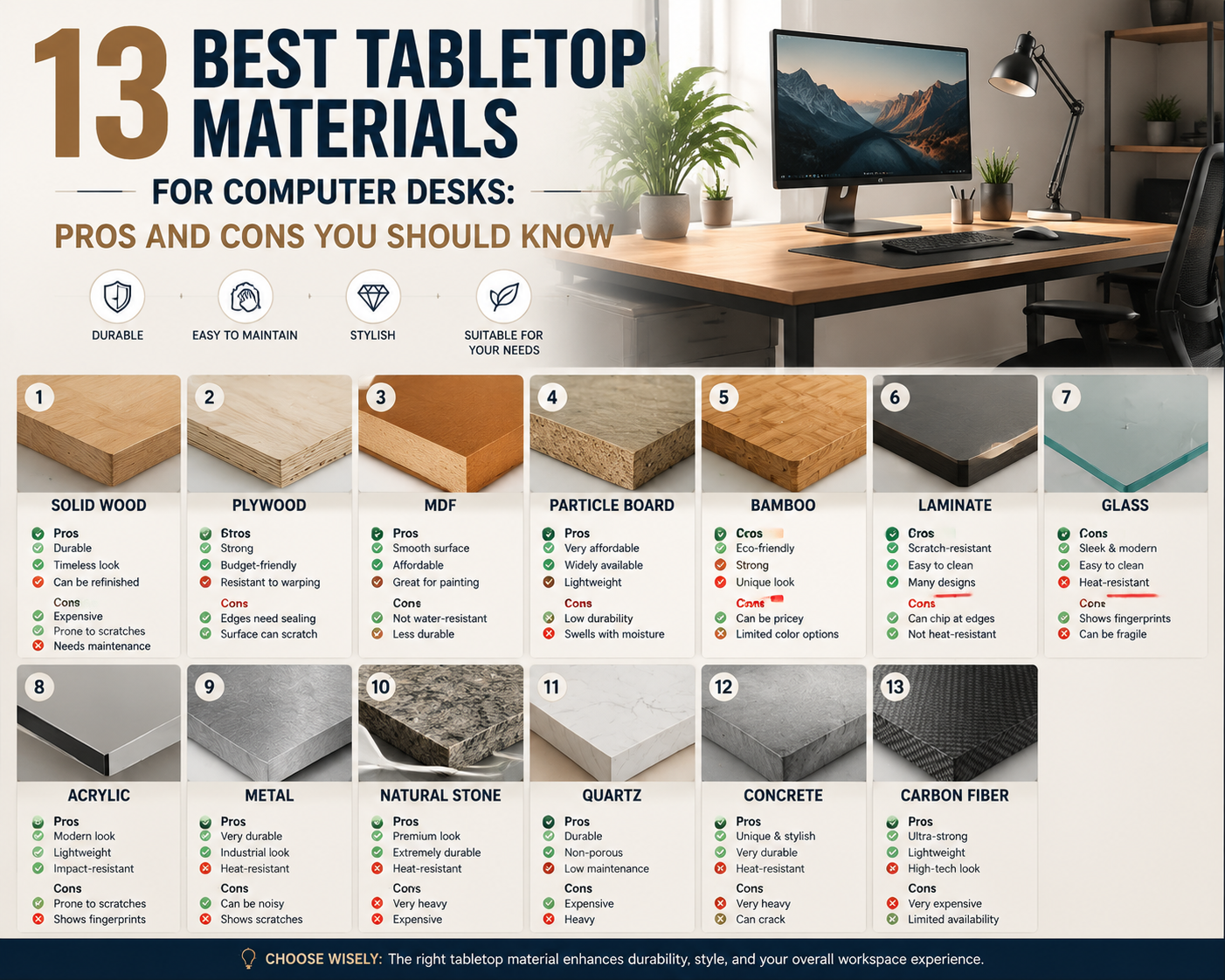
15. Complete Comparison Table
| Material | Durability | Weight Bearing | Scratch Resistance | Moisture Resistance | Comfort | Cost | Lifespan |
| Particle Board | Low | Poor | Low | Very Poor | Neutral | Very Low | 2-4 years |
| MDF/HDF | Medium | Moderate | Low-Medium | Poor | Neutral | Low-Medium | 4-8 years |
| Solid Hardwood | High | Excellent | Medium-High | Moderate | Excellent | High | 20-50+ years |
| Plywood | High | Very Good | Medium | Moderate | Good | Medium | 10-20 years |
| Bamboo | High | Very Good | High | Moderate | Good | Medium-High | 10-25 years |
| Laminate | Medium-High | Depends on substrate | Very High | Good (surface) | Neutral | Low-Medium | 5-10 years |
| Glass | High | Good | Very High | Excellent | Poor (cold) | Medium-High | 15+ years |
| Acrylic | Medium | Moderate | Very Low | Excellent | Moderate | High | 5-10 years |
| Metal | Very High | Excellent | Very High | Excellent | Poor (cold) | Medium-High | 20+ years |
| Stone | Very High | Excellent | Very High | Good-Excellent | Poor (cold) | Very High | 30+ years |
| Plastic | Low-Medium | Poor-Moderate | Low | Excellent | Poor | Very Low | 2-5 years |
| Melamine | Medium | Depends on substrate | Medium | Good (surface) | Neutral | Low-Medium | 4-8 years |
| Butcher Block | High | Excellent | Medium-High | Moderate | Excellent | Medium | 15-30+ years |
16. How to Choose the Right Material for Your Setup
After building and testing all these materials personally, I’ve developed a decision framework that cuts through the noise. Your ideal tabletop material depends on four factors. Answer these honestly and the right choice becomes obvious.
Factor one: What’s your budget reality?
Under $100 total desk budget: Particle board or plastic. These are your only realistic options at this price point. Accept the limitations and plan to replace in two to three years.
$100 to $300 budget: MDF with quality laminate or melamine. Butcher block on a basic frame. Budget bamboo. This range offers the best value-to-performance ratio. You get functional, decent-looking desks that last five to ten years.
$300 to $700 budget: Quality plywood with hardwood veneer. Premium bamboo. Mid-range solid hardwood (oak, ash). Butcher block with quality finishing. This range delivers genuinely good desks that last a decade or more.
$700+ budget: Premium solid hardwood (walnut, cherry). Custom stone. Quality metal. These are investment pieces that last decades and become better with age.
Factor two: How heavy is your equipment?
Light setup (laptop, small monitor, basic accessories, under 15 kg total): Almost any material works. Even particle board handles light loads acceptably for several years. Choose based on aesthetics and budget rather than structural concerns.
Medium setup (single monitor on stand, desktop computer, standard accessories, 15 to 30 kg): Avoid particle board for spans over 100 cm. MDF, plywood, bamboo, laminate over MDF, butcher block, and solid wood all handle this load well.
Heavy setup (dual monitors on arms, heavy desktop, printer, multiple accessories, 30 to 50+ kg): Solid hardwood, butcher block, plywood (24mm+), bamboo (25mm+), or metal. These materials handle sustained heavy loads across standard desk spans without deflection. Particle board and thin MDF will fail under this load over time.
Factor three: What’s your environment like?
Climate-controlled home office: Any material works. Choose based on preference and budget. Humidity and temperature stability means even moisture-sensitive materials perform well.
Variable humidity (basement, garage, non-climate-controlled room): Avoid solid hardwood (warping risk). Choose plywood, bamboo, metal, glass, laminate, or melamine. These materials maintain dimensional stability regardless of humidity fluctuations.
High moisture risk (near kitchen, bathroom proximity, drinks always on desk): Avoid particle board and MDF entirely. Choose metal, glass, stone, plastic, or quality laminate with sealed edges. These materials survive moisture exposure without damage.
Factor four: How long do you want this desk to last?
Temporary (1 to 3 years): Particle board, plastic, or budget melamine. Spend minimally and replace when needed.
Medium-term (5 to 10 years): MDF with laminate, quality melamine, plywood, or budget bamboo. Reasonable investment for reasonable lifespan.
Long-term (10 to 20+ years): Solid hardwood, premium bamboo, butcher block, quality plywood, or metal. These materials reward upfront investment with decades of service.
Forever (generational): Solid hardwood or stone. These materials outlast their owners when properly maintained. Your grandchildren could use a walnut desk you buy today.
For businesses furnishing multiple workspaces:
The calculation changes at scale. Per-unit cost matters more. Consistency across units matters. Maintenance burden across dozens or hundreds of desks matters. Melamine and laminate dominate commercial applications because they balance cost, durability, and consistency at scale. For premium commercial spaces (executive offices, client-facing areas), solid wood or stone communicates quality that justifies higher per-unit investment.
When sourcing desk materials for production quantities, working with an experienced sourcing partner helps identify reliable material suppliers, negotiate volume pricing, and ensure consistent quality across large orders.
Questions I Get Asked All the Time
What is the best tabletop material for a computer desk?
For most people, butcher block or quality plywood offers the best combination of beauty, durability, structural performance, and reasonable cost. If budget is the primary constraint, laminate over MDF delivers excellent daily performance at lower cost. If money is no object and you want the best possible desk experience, solid walnut or maple hardwood at 30mm+ thickness is the answer.
What tabletop material is best for a standing desk?
Bamboo and butcher block dominate the standing desk market for good reasons. Both offer excellent rigidity at moderate weight. Standing desk frames have weight limits (usually 50 to 80 kg for the desktop plus equipment), so extremely heavy materials like stone are impractical. Bamboo’s lighter weight and dimensional stability make it particularly well-suited for motorized standing frames that raise and lower daily.
Does tabletop thickness matter for computer desks?
Absolutely. Thickness directly affects rigidity across unsupported spans. For desks wider than 120 cm with legs only at the edges, minimum recommended thickness is: 25 mm for solid hardwood and butcher block, 24 mm for plywood, 25 mm for bamboo, 25 mm for MDF (with center support recommended for spans over 130 cm), and 10 mm for tempered glass. Thinner materials either need shorter spans or center support to prevent deflection under load.
Can I use a kitchen countertop as a desk?
Yes, and many people do successfully. Butcher block countertops, laminate countertops, and even stone countertops work as desktops. The dimensions are often ideal (standard countertop depth of 63 cm works well for desks). Butcher block countertops from IKEA and home improvement stores have become the most popular DIY standing desk surface specifically because they’re affordable, available in good sizes, and structurally excellent.
What’s better for a desk: solid wood or plywood?
Depends on your priorities. Solid wood wins on beauty, repairability, tactile quality, and longevity. Plywood wins on dimensional stability, cost, and consistency. For climate-variable environments, plywood is more practical. For climate-controlled home offices where you want maximum beauty and are willing to maintain the finish, solid wood is superior. Both are excellent choices for computer desks.
How do I prevent my desk from sagging?
Material choice is the first defense. Avoid particle board for spans over 100 cm with heavy equipment. If you already have a desk that’s sagging or you’re concerned about a material’s rigidity, add a center support leg or a steel reinforcement bar (angle iron or C-channel) along the underside of the desktop. A single center support eliminates sagging concerns for virtually any material by cutting the unsupported span in half.
Is bamboo stronger than wood for desks?
Strand-woven bamboo is harder than most hardwoods (higher Janka rating). But hardness and structural strength are different properties. For bending resistance across a desk span, quality hardwood (oak, maple) and bamboo perform comparably. Both are excellent for computer desks. Bamboo’s advantage is primarily in surface scratch resistance rather than structural spanning ability.
What tabletop material is best for gaming desks?
Gaming setups tend to be heavy (multiple monitors, heavy PCs, peripherals) and benefit from large surface areas. Butcher block, solid hardwood, and quality plywood handle the weight and span requirements well. Many gamers prefer dark surfaces (walnut butcher block, dark laminate) to reduce visual distraction and glare. Avoid glass (cold, noisy, no clamping) and particle board (will sag under heavy gaming equipment).
How do I protect my wooden desk surface?
Three approaches depending on your tolerance for maintenance. Polyurethane finish provides the most protection with least maintenance (reapply every 3 to 5 years in wear areas). Hard wax oil provides moderate protection with moderate maintenance (reapply every 6 to 12 months). Desk mats and pads provide physical barrier protection regardless of finish type. For daily computer use, a quality polyurethane finish plus a desk mat in the primary work area gives maximum protection with minimal effort.
What’s the most eco-friendly desk material?
FSC-certified solid hardwood or bamboo from responsible sources. Both are renewable, biodegradable, and store carbon. Bamboo grows faster (3 to 5 years to harvest versus 20 to 80 years for hardwood trees) making it arguably more renewable. Reclaimed wood is the most sustainable option of all since it uses existing material without new harvesting. Avoid particle board, MDF (formaldehyde resins), polyester laminate, plastic, and acrylic for environmental priorities.
Can I put a monitor arm on any desk material?
No. Monitor arms clamp to desk edges with significant force. Materials that handle clamping well: solid hardwood, butcher block, plywood (18mm+), bamboo (19mm+), MDF (25mm+), metal. Materials that don’t handle clamping: glass (will crack), stone (will chip), thin particle board (will crush), acrylic (will crack or deform). For borderline materials, use a clamp reinforcement plate that distributes force across a larger area.
What desk material is best for hot climates?
In hot climates, thermal comfort matters less (surfaces don’t feel cold) but moisture management matters more (humidity causes material issues). Bamboo, plywood, laminate, metal, and glass all perform well in hot, humid environments. Avoid untreated solid wood (warping risk in high humidity) and particle board (moisture absorption and swelling). If you’re in a hot climate with air conditioning, any material works since the indoor environment is controlled.